Guides API reference
SDKs & UIs
Hosted UIs
Hosted onboarding Co-branded onboarding forms Payment links Shareable links and QR codes for payments Resolution links Secure links for resolving verification issues Invoices Branded invoices with built-in payment links
Frontend
Moov.js Client-side SDK for secure data collection Drops Pre-built, drop-in UIs Tap to Pay Contactless payments on iPhone and Android
Server-side
Server-side SDKs TypeScript, Go, Python, and more Developer tools Postman, data sync, and API versioning Build with AI & MCP Connect your AI coding assistant to Moov
Use cases Changelog
  • Guides
  • API reference
  • SDKs & UIs
  • Use cases
  • Changelog
<- Full menu

Guides

  • Get started
  • Quick start
  • Plan your integration
  • Integration options
  • Recipes
  • API authentication
  • Glossary
  • Onboard
  • Accounts
  • Sources
  • Move money
  • Transfers
  • Accept payments
  • Send payouts
  • ACH
  • Wallets
  • Card issuing
  • Platform
  • Webhooks
  • Developer tools
  • Business tools
  • Dashboard
    • Overview
    • Developers
    • Settings
      • Business details
      • Documents
      • Payment methods
      • Teams
  • Go live
  • Launch checklist
  • Production mode
  • Data migrations
  • UX/UI best practices
  • Billing & fees
  1. Guides
  2. Dashboard
  3. Settings

Settings

View as Markdown
Open in Claude Open in ChatGPT Open in Grok
Add MCP to Cursor Add MCP to VS Code
Use Settings in the Dashboard to manage your own Moov account: business details, representatives, team members, payment methods, and documents.
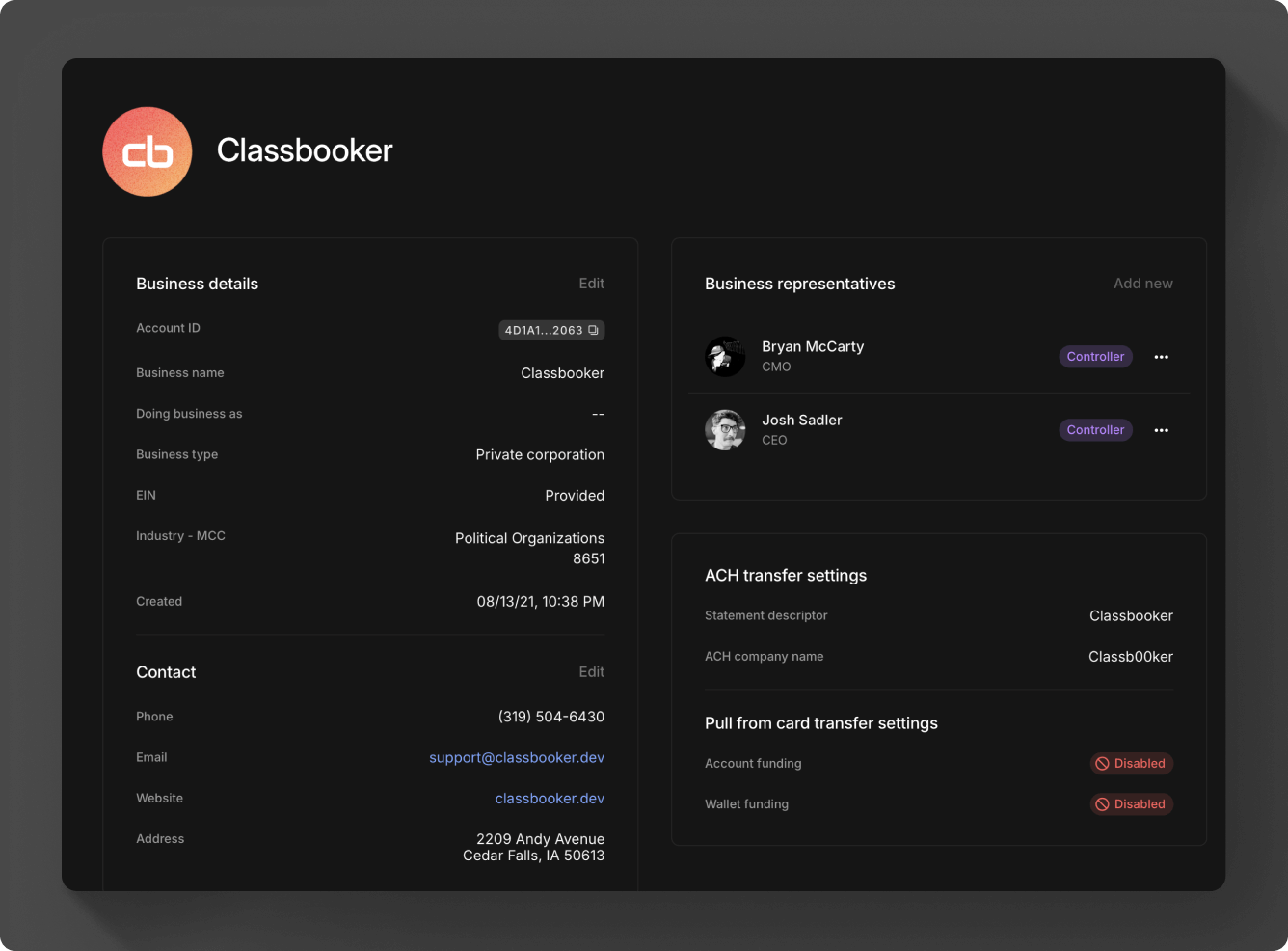
Business detail setting view in Moov Dashboard

In this section

Business details

Edit business details, branding, representatives, transfer settings, and expected activity, and configure Apple Pay, sweeps, and tipping in the Dashboard.

Documents

Upload verification documents to your Moov account and download monthly merchant statements from the Documents page in the Moov Dashboard.

Payment methods

View, add, and manage the bank accounts and cards linked to your Moov account, check verification status, and review wallet transactions in the Dashboard.

Teams

Invite team members to your Moov account, assign and edit their roles, and review which Dashboard permissions each role grants.

← Previous Developers Next → Business details

Was this helpful?

Moov logo
Follow us
Product
Pricing Moov Platform Accept Store Send Spend
Payment links Invoicing Tap to Pay Onboarding Dashboard Drops Data Sync All features Roadmap
Developers
Guides Quick start API Moov.js Drops Server-side SDKs Tap to Pay Android SDK Tap to Pay iOS SDK LLMs.txt Changelog Status
Industries
Construction Digital banking Field & home services Insurance Loan servicing Nonprofits Professional services Property management Small business Transport
Resources
Blog Support center Community Fintech glossary Bug bounty Security portal Prohibited & restricted businesses
Company
Who we are Careers Newsroom Media resources Contact
© Moov Financial, Inc. 2026 All rights reserved
Privacy policy Terms of use Cookies