Integration options
Not sure which fits? Plan your integration asks about your use case and stack and recommends a combination.
Choose based on how much of the experience you want to own, whether you can handle sensitive card data (PCI compliance), and how much engineering time you have. For guidance on your platform, contact us.
| Option | Code needed | PCI compliance | Customization | Best for |
|---|---|---|---|---|
| Payment links | None | Not required | Low | Collecting payments or sending payouts with a shareable link or QR code |
| Account links | None | Not required | Low | Onboarding merchants and fixing verification issues with Moov-hosted forms |
| Dashboard | None | Not required | Low | Running operations by hand: accounts, transfers, disputes, and settings |
| Drops | Frontend | Not required | Low to medium | Embedding pre-built UI for onboarding, linking cards and bank accounts, and terms of service |
| Moov.js | Frontend | Not required | Medium | Building your own UI while Moov handles sensitive data |
| API and SDKs | Backend | Required for raw card data | High | Full control over every flow from your servers |
Hosted links
Moov hosts these pages for you, so you can launch without building UI. Create links in the Dashboard or with the API, then share them by email, text, or QR code.
Payment links
Payment links let customers pay by card, bank account, or Apple Pay, or let recipients claim a payout, from a Moov-hosted page. Add line items from your product catalog and turn on tipping if you need them.
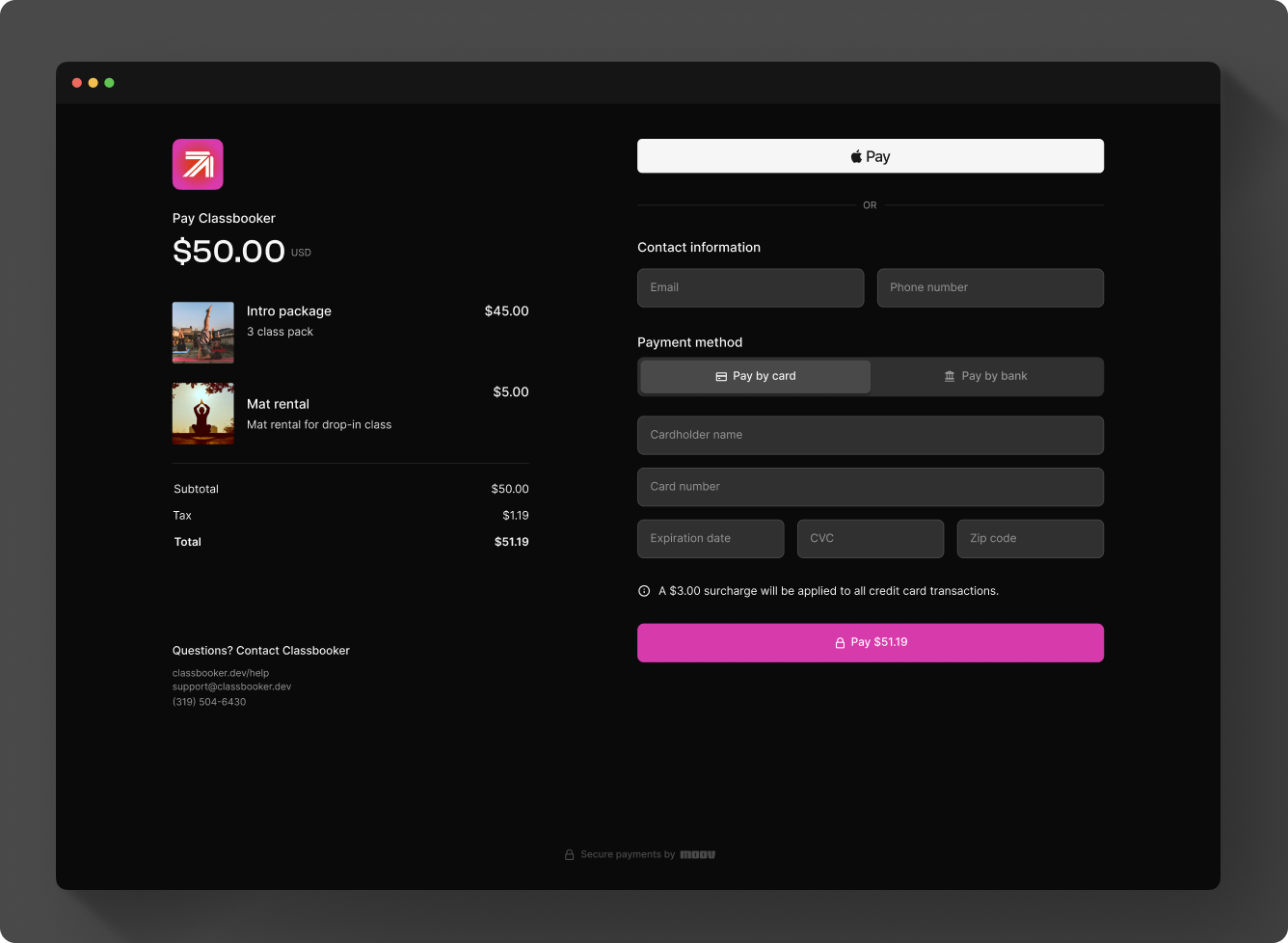
A payment link checkout with line items, Apple Pay, and card or bank payment.
Account links
Account links bring merchants through Moov-hosted forms, so you don't build onboarding or verification UI yourself.
- Hosted onboarding: send a co-branded link where a merchant creates their account, provides verification details, accepts the terms of service, and agrees to the fee plan you choose. This is the fastest way to onboard merchants, and the one we recommend.
- Resolution links: when verification surfaces a requirement error, send a temporary, secure link so the business can fix it without contacting you.
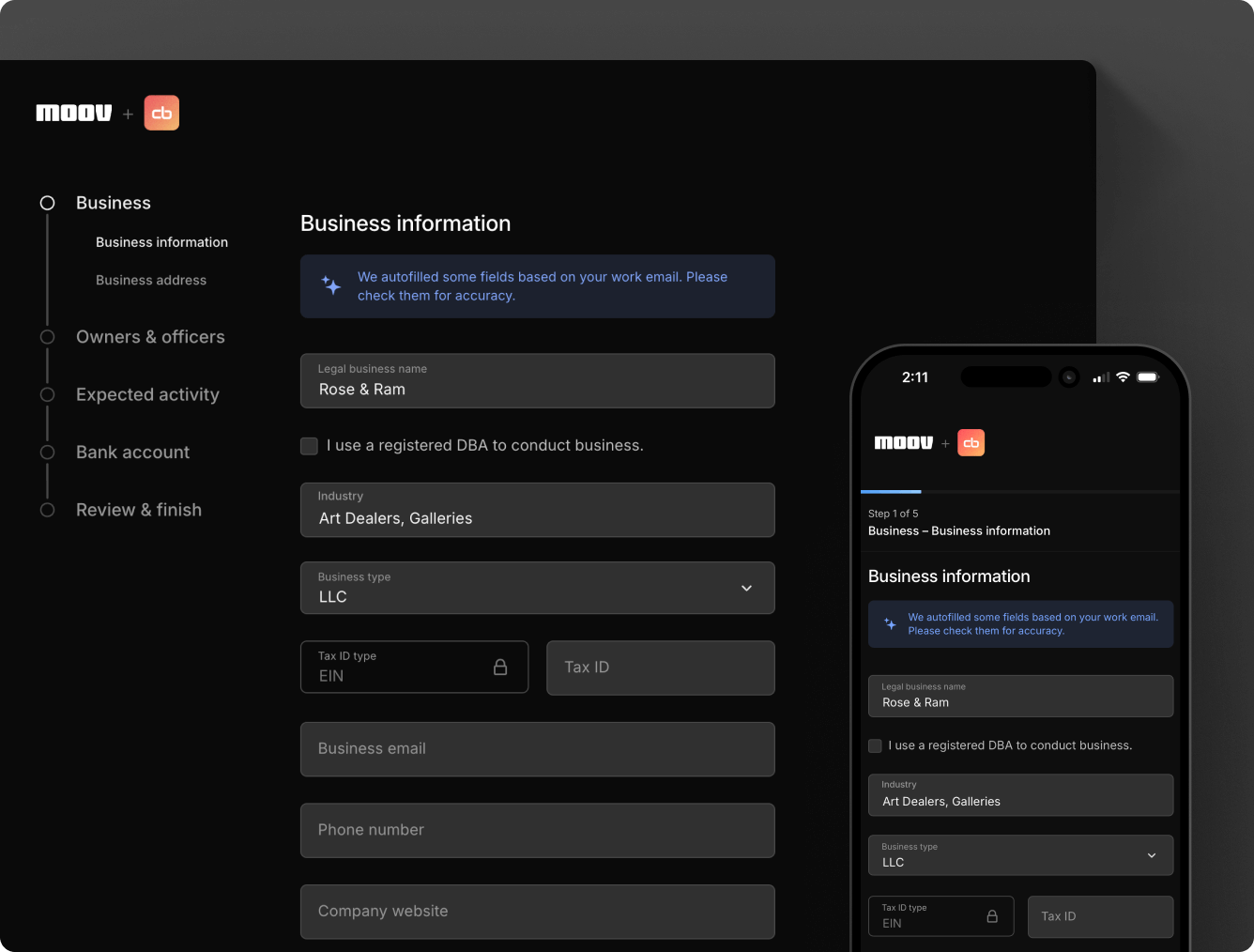
Hosted onboarding, co-branded with your logo, on desktop and mobile.

A resolution link asks the business to fix only the fields that failed verification.
To onboard merchants another way, collect terms of service acceptance with the terms of service Drop, which requires Moov.js. See create accounts to compare every onboarding method.
Dashboard
The Moov Dashboard is where your team manages accounts, transfers, disputes, and settings without code. Most guides show the Dashboard steps next to the API steps. See the Dashboard overview.
Drops and Moov.js
Drops are pre-built, customizable UI components, such as onboarding, card link, and payment methods, that you embed in your web or mobile app. They run on Moov.js, the client-side library you can also use directly to build your own UI. Both keep sensitive data off your servers, so neither requires PCI compliance.
API and SDKs
Use the API or a server-side SDK for full control from your backend. Linking raw card numbers through the API requires PCI compliance; you can avoid that by linking cards with the card link Drop. Pin every request to an API version with the X-Moov-Version header; see API versioning.
Server-side calls authenticate with API keys, and client-side code like Moov.js and Drops uses OAuth2 access tokens. See authenticate API requests.
Tools to integrate faster
Moov's developer tools help you build and test:
Connect your AI coding assistant to the docs MCP server, Moov AI skills, or the Moov MCP server.
Try every endpoint with your test mode keys.
Copy-ready, end-to-end walkthroughs of common flows.
Simulate accounts, transfers, and failures with fake money.
Sync your Moov payment data to BigQuery for reporting.