Subscriptions
This guide focuses on the quickest and easiest way to get started with the features of Moov we think you'll find most useful running a subscription service. Onboard customers to a secure payment platform, save payment methods, select products, set up recurring payments, and send receipts.
Moov offers a variety of integration options to get started. Use Drops or the Dashboard UIs for a low to no-code solution, or choose the API or one of many SDKs for more complex integrations.
For the purposes of this guide, we'll provide Dashboard and API examples.
Onboard customers
As you move through the onboarding process to create Moov accounts, some data is required while other data is optional. To view our full onboarding guides, visit the Dashboard or main onboarding guides.
| Onboarding data | Required |
|---|---|
| Capabilities | ✓ |
| Fee plan | ✓ |
| Scopes | ✓ |
| Return URL | × |
| Terms of service URL | × |
| Prefilled data | × |
Capabilities determine what each Moov account can do, such as receiving transfers, or sending money to others. For risk and fraud protection purposes, we require detailed information when requesting capabilities. For example, we'll request more details if an account wants to collect funds than we would for an account receiving funds.
- Transfers: Authorize debit transfers
- Wallet: Store funds with Moov
- Send funds: Send funds to another account
- Collect funds (Business accounts only): Collect funds from another account
Pricing & fee plans can be assigned to one account or reused for many accounts. New accounts must agree to and accept the fee plan before it can go into effect. Moov offers two types of plans:
- Cost plus: With a cost plus plan, card networks’ interchange fees and Moov’s processing markup are passed along to the account. Cost plus plans are beneficial for accounts with a high and varied transaction volume that prefer to have more control over fees. Fees are broken down into a more digestible and transparent format.
- Flat rate: With a flat rate plan, you can lump all the processing fees together with a flat rate customized for each account. Flat plans are beneficial for accounts with a low transaction volume that prefer a predictable solution over lowering cost as much as possible.
Scopes are used to determine what can be done with the account once it's onboarded. For example, the /accounts.read scope provides access to view all connected user accounts and the /accounts/{accountID}/files.read scope provides access to view or upload files associated with a Moov account.
Read more on required data in our documentation:
Save card for future use
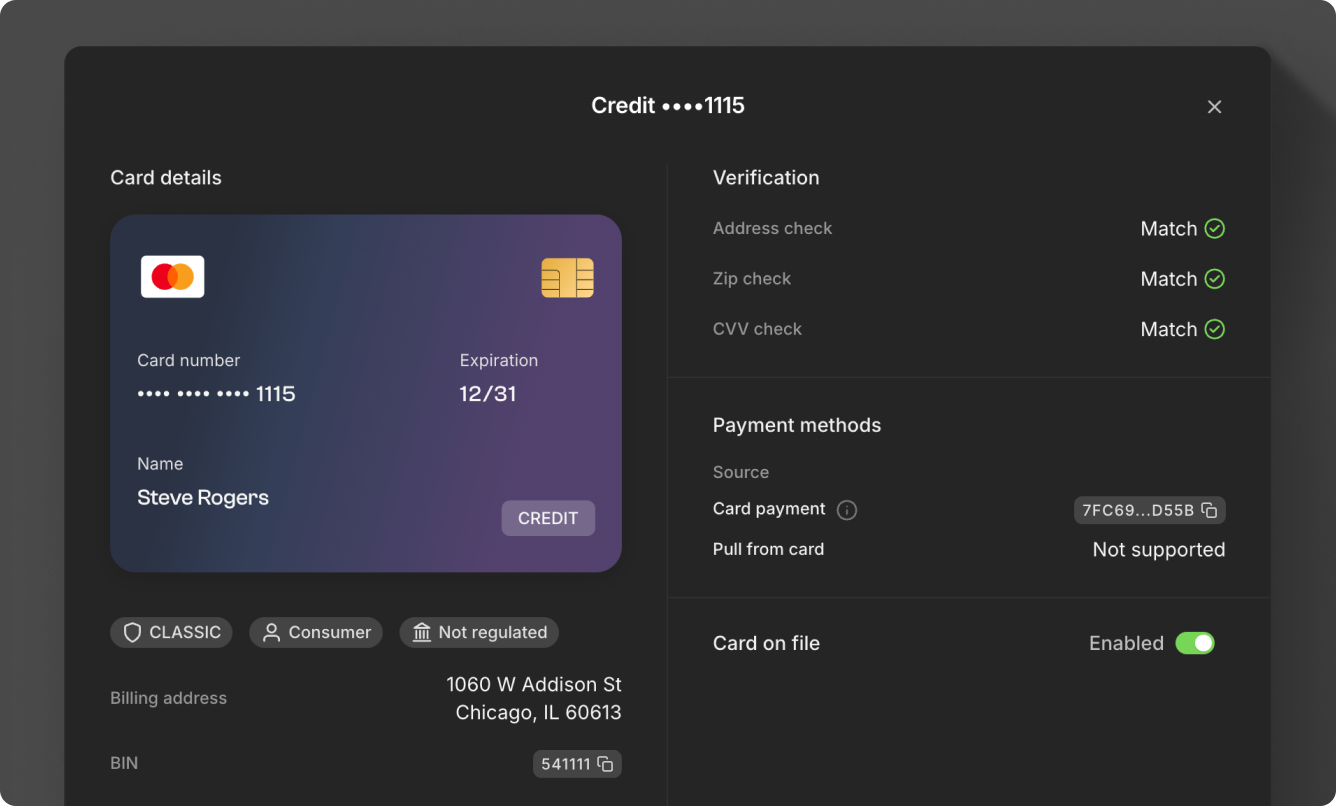
When linking a card to an account, set cardOnFile to true. The merchantAccountID (Moov account ID of a merchant on your platform) provided should signify which merchant the cardholder has consented to save their information. Saving a card allows for recurring payments and the ability to use Moov's card account updater (CAU) service. CAU ensures card information is up to date by automatically updating payment information when a card has expired or been replaced.
 1curl -X POST "https://api.moov.io/accounts/{accountID}/cards" \
 2  -H "Authorization: Bearer {token}" \
 3  -H "X-Moov-Version: v2026.01.00" \
 4  -d '{
 5  "cardNumber": "4111111111111111",
 6  "cardCvv": "123",
 7  "expiration": {
 8    "month": "01",
 9    "year": "29"
10  },
11  "cardOnFile": true,
12  "merchantAccountID": "50469144-f859-46dc-bdbd-9587c2fa7b42",
13  "holderName": "Jules Jackson",
14  "billingAddress": {
15    "postalCode": "80301"
16  }
17}'
Read more on card payments in our documentation:
Create a schedule with a product
A product specifies a title and base price for items, as well as an optional description and image. Products can have additional option groups like size and color, each with their own images and additional price modifiers.
To use an existing product, use the product API to retrieve product data and map it to lineItems when creating a schedule. If you need to create a new product, you can create freeform line items when setting up the schedule. The productID can be used for tracking and reporting purposes.
The example below sets up a payment for a monthly yoga subscription on the first day of every month, running indefinitely:
curl -X POST "https://api.moov.io/accounts/{accountID}/schedules" \
  -H "Authorization: Bearer {token}" \
  -H "X-Moov-Version: v2026.07.00" \
  -d '{
    "description": "Whole Body Fitness",
    "recur": {
      "recurrenceRule": "FREQ=MONTHLY;BYMONTHDAY=1",
      "start": "2026-07-01T09:00:00.000Z",
      "indefinite": true,
      "runTransfer": {
        "amount": {
          "currency": "USD",
          "value": 9999
        },
        "description": "July 2026 subscription",
        "partnerAccountID": "c520f1b9-0ba7-42f5-b977-248cdbe41c69",
        "destination": {
          "paymentMethodID": "c527f30-1bg3-42f5-b977-248cdbe41b69",
        },
        "source": {
          "paymentMethodID": "c577f1b8-0bw7-12c8-c280-237cdbe45a44",
        }
        "lineItems": {
          "items": [
            {
              "basePrice": {
                "currency": "USD",
                "valueDecimal": "99.99"
              },
              "name": "Yoga membership",
              "productID": "dd0b4873-5cf5-4aa8-aa86-e31d86f7e38a"
            }
          ]
        }
      }
    }
  }'
Note the following: Currently, Moov only supports one schedule per payment method.
Creating schedules in the Dashboard on our roadmap. Currently, you can view and cancel schedules in the Dashboard, but must use the API to create a schedule.
Read more on scheduled transfers in our documentation:
Send receipts
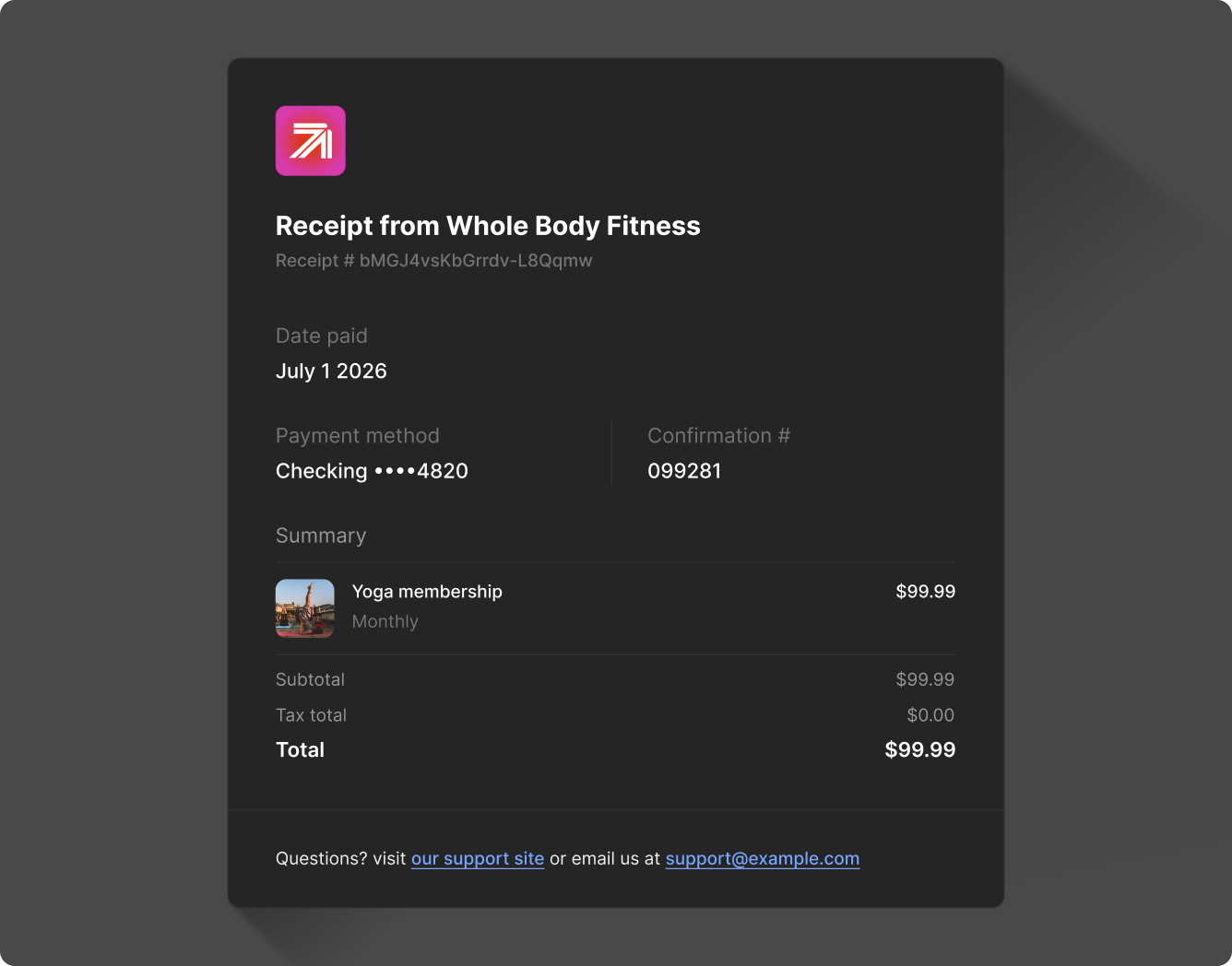
Send a branded receipt which displays your logo, company name, and links to your customer service portals.
The schedules response will include a scheduleID, which sends the confirmation receipt to the payer on every occurrence. Receipts for purchases include the following details:
- Transfer amount
- Transfer date
- Receipt ID
- Transfer description (if provided)
- Source payment method
- Sales tax amount and total amount paid (if applicable)
- Issuer confirmation number (if applicable)
 1curl -X POST "https://api.moov.io/receipts" \
 2  -H "Authorization: Bearer {token}" \
 3  -H "X-Moov-Version: v2026.01.00" \
 4  -d '[
 5  {
 6    "kind": "sale.customer.v1",
 7    "email": "julesjacksonr@example.com",
 8    "forScheduleID": "193ceb53-94c7-41c4-9272-c90c2832cb4c"
 9  }
10]'
Read more on receipts in our documentation: