How to set up webhooks
Register an HTTPS endpoint with Moov and choose the events it receives. Moov sends a
POST to that endpoint each time a subscribed event happens.
Before you start:
- A public HTTPS URL that accepts
POSTrequests. For local development, use a tunnel such as ngrok. - A Dashboard user with
adminordeveloperpermissions - Test mode and production mode have separate webhooks and signing secrets. Set up in test mode first, then repeat in production mode when you go live.
For a complete handler with code, follow the handle webhooks end to end recipe.
Register a webhook
Choose the events to subscribe to
Subscribe only to events your application acts on; fewer events means less load on your server. Webhook events lists every event type and when it fires. You can create more than one webhook to send different events to different services.Create the webhook
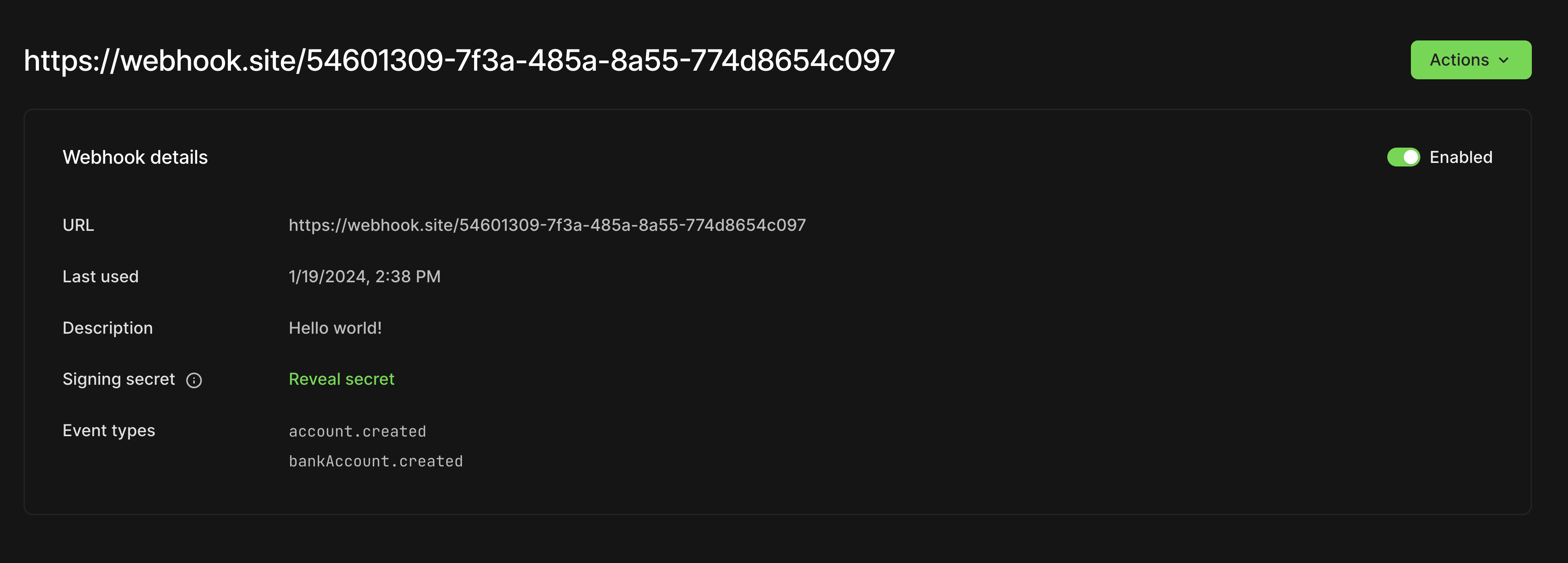
Go to Developers > Webhooks in the Dashboard and create a webhook. Enter your endpoint URL, an optional description, and the events to subscribe to.
Store the signing secret
Copy the webhook's signing secret from Developers > Webhooks in the Dashboard. Store it as an environment variable, such asWEBHOOK_SECRET. You'll use it to check webhook signatures.Send a test event
Open the webhook in the Dashboard and select Send test webhook.
Your endpoint receives an event.test event like this:
{
  "eventID": "d9d18a42-d1ea-4e4c-b671-0fa93e24d584",
  "type": "event.test",
  "data": {
    "ping": true
  },
  "createdOn": "2024-01-26T20:42:25Z"
}
Handle deliveries
Build your endpoint to do the following for every request:
- Verify the signature. Recompute the HMAC-SHA512 signature from the
X-Timestamp,X-Nonce, andX-Webhook-IDheaders and your signing secret, and reject the request if it doesn't matchX-Signature. See check webhook signatures. - Respond with
2xxwithin 5 seconds. Acknowledge first, then process the event in the background. - Process each event once. Retries can deliver the same event more than once. Record each
eventIDand skip ones you've already handled. - Don't rely on order. Treat an event as a signal that something changed, and fetch the resource from the API for its current state.
Retries and rate limiting
| Your endpoint returns | What Moov does |
|---|---|
2xx within 5 seconds |
Marks the delivery as successful |
No response within 5 seconds, or a non-2xx status |
Retries with backoff for up to 24 hours |
404 after the last retry |
Disables the webhook |
429 with a Retry-After header |
Retries after the number of seconds in Retry-After |
429 without Retry-After |
Follows the default retry schedule, for up to 24 hours |
To throttle deliveries, return 429 with a Retry-After header. This response asks Moov to retry in one hour:
HTTP/1.1 429 Too Many Requests
Content-Type: application/json
Retry-After: 3600
Next steps
- Check webhook signatures
- Webhook events for payloads and event types
- Handle webhooks end to end recipe